
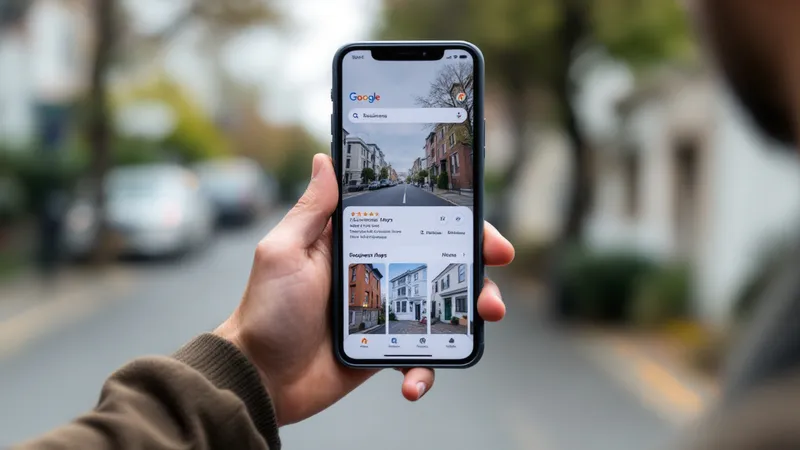
Your Google Business Profile (GBP) is what determines your position in that prime real estate. It's Google's highest-impact, cost-free asset for contractors. You don't need a big ad budget to appear there. You need a well-built, consistently maintained profile and a clear understanding of how Google decides who ranks.
If you want to win the local three-pack consistently, start here. This guide covers every GBP optimization lever specific to builders.
How Google Chooses Who Ranks in the Map Pack
Google considers three signals to rank google business profile listings in the map pack: relevance, proximity, and prominence.
Relevance measures how precisely your profile matches a searcher's query. If your GBP says "General Contractor" and a homeowner searches "custom home builder," Google may not show you. Category and services fields control relevance more than anything else.
Proximity is the distance between your business location or service area and the searcher. For service-area businesses, this is based on the geographic zone you define in your profile.
Prominence is your authority signal. It includes review volume, average rating, keyword use in reviews and responses, citation consistency across the web, and your website's local SEO strength.
All three signals interact. Proximity helps if you're close. Relevance and prominence are the levers you control.
Claiming and Verifying Your Profile
Search the GBP Help Center for your business name before creating anything new. Duplicate listings hurt rankings.
Builders typically set up as a service-area business rather than a storefront. You serve clients at job sites, not at your office. In GBP, select "service-area business," hide your physical location if needed, and define your service area using zip codes, cities, or a radius. Keep it focused. A 60-mile radius looks unfocused. Define the markets where you actually win projects.
If you manage multiple offices, Google allows separate profiles for each, provided each has a distinct phone number, address, and service area. Manage them under one google account via the Business Profile Manager dashboard.
Verification happens via postcard, phone, or video. Video is fastest. Unverified profiles don't rank.
Category Selection
Category selection directly controls your relevance signal. It's one of the highest-impact decisions you'll make on the entire profile.
Your primary category should be "Home Builder." Add "General Contractor" as a secondary if you handle additions and renovations. If custom homes dominate your revenue, include "Custom Home Builder." Google allows up to ten categories.
Don't list categories for work you rarely do. A "HVAC Contractor" secondary category when you sub that work out dilutes your relevance for the categories that matter.
Many builders leave secondary categories empty. That's a missed opportunity. The right business category mix covers multiple search intents within one profile.
Services: The GBP Field Most Builders Skip
The Services section in GBP is where most builders do the minimum. Fill in every build type you actually offer.
Structure it by category: Custom Homes, Production Homes, Additions, ADUs, Kitchen Remodel, Roof Repair. Within each category, add individual services with names and descriptions. You don't have to display pricing, but adding descriptions is critical. Use your actual terminology. If buyers in your market search "custom home builder" and "new construction," both should appear in your service descriptions.
This feeds Google's relevance signal directly. A well-filled services section gives Google more context to match your profile to relevant queries and helps potential customers understand what you offer at a glance.
Products: Use This for Floor Plans and Communities
Most production builders have defined floor plans. GBP's Products section works for showcasing floor plan options and active communities, even though it was built for retail.
Add each floor plan as a product: name it, write a short description including the community name, link to the floor plan page on your website, and add a rendering or photo. Potential customers see your inventory before they click through to your site. This drives engagement directly on your GBP listing.
Photos and Videos
High-quality photos matter more than most builders realize. Google tracks how often users interact with your project photos. Profiles with more engagement get stronger ranking signals. Builders have a natural edge over service trades like a roofing contractor: you have completed homes to show.
What to upload:
- Exterior shots of completed projects (minimum 5 per project)
- Interior photos: kitchens, primary suites, living areas
- Team photos, including the business owner and project managers
- Job site progress shots to show active work
- Drone footage (upload as video)
Geo-tag your photos before uploading. Tools like GeoImgr let you embed GPS coordinates. Geotagging reinforces your service-area signals with Google.
Upload new photos at minimum once per month. Dormant profiles signal inactivity. If you have model homes or community centers, 360-degree tours perform well inside the profile.
GBP Posts
GBP Posts are short-form content appearing directly on your profile. Google removes them after 7 days (for most post types), so they require a weekly cadence.
What to post: project milestones, special offers (move-in specials, design upgrade promotions), community events, and move-in-ready announcements. Keep google posts under 300 words. Include a photo and a call to action button linked to a relevant page on your website.
Google rewards activity. An active profile outranks a dormant one at equal prominence.
Q&A Optimization
The Q&A section on your google business profile is user-generated content. Anyone can post a question and anyone can answer. Most builders ignore it until a bad answer appears.
Seed your own Q&A. Post the questions potential clients ask most often: timeline, service area, business hours, base pricing. Answer them yourself, integrating your target keywords naturally. Clear, direct answers build trust and answer questions before buyers even call.
Monitor this section weekly. Google doesn't notify you of new questions, so set a calendar reminder.
Reviews: Volume, Recency, Keyword Use in Responses
Customer reviews are a direct ranking factor for prominence. Volume and recency matter, but the specific words used in reviews and your responses also send relevance signals to Google.
Encourage clients to be specific. Not just "great experience" but "we built our custom home in [city] and the process was smooth start to finish." When clients mention "custom home builder" or "new construction in [city]" in their review text, Google reads those as relevance signals.
Respond to every google review. Use your response to naturally include your business name, city, and a relevant service. Keep responses under 100 words. Don't be defensive about negative reviews. Acknowledge the issue and offer to resolve it offline.
To put a system that actually generates reviews in place, your ask needs to be timed, easy, and consistent.
Aim for at least one new review every two weeks. Recency matters. A profile with 40 google reviews where the most recent is 14 months old underperforms one with 25 reviews and three from last month.
NAP Consistency Across the Web
NAP stands for Name, Address, Phone number. It needs to be identical everywhere your business is listed: your website, GBP, Yelp, Houzz, Angi, the BBB, local chamber directories, and every citation aggregator.
Even minor inconsistencies, like "LLC" versus no "LLC" or "St." versus "Street," create conflicting signals that hurt your local search results ranking.
Use a citation management tool to standardize your business listing across the web. Yext, BrightLocal, Moz Local, and Whitespark all audit and fix citation inconsistencies. Run an audit first. Fix your business name, business address, phone number, and contact information so they match exactly everywhere. This is foundational digital marketing work that directly supports your local search results rankings.
Measuring GBP Performance
Google Business Profile Insights shows search queries used to find you, views (google search vs. google maps), direction requests, phone calls, and website clicks. Pull this data monthly.
Track direction requests by zip code to confirm your service area is working. If 80% of direction requests come from one city but you're targeting three others, your service area needs adjustment or you need stronger local optimization in those markets.
Add CallRail as your GBP phone number. This lets you attribute specific calls to your GBP listing without losing the real phone number on your website. Use call source reports to see exactly how many leads your profile generates each month.
Watch google maps vs. google search views separately. Maps views suggest navigational intent. Search views suggest people discovering you for the first time.
Common GBP Penalties and How Builders Get Suspended
Google suspends profiles for policy violations.
Keyword stuffing in your business name. Your GBP business name must match your legal registration exactly. "Harmon Homes Custom Home Builder Sacramento" triggers suspension if your registered name is "Harmon Homes."
Multiple listings at the same address. Sharing office space with another contractor can trigger a spam flag if both profiles use the same physical location.
Fake reviews. Buying reviews or having employees post as customers violates Google's policies and can result in a hard suspension.
If your profile gets suspended, appeal through Google's reinstatement form with your business license, utility bills, and trade association memberships. Most reinstatements take 3–14 days.